For long many have been scared of starting off in embedded systems and programming because of the fallacy that they it is hard. Times have changed and today there exists open source tools and platforms like that make the entry level requirements have gone qiute low. It is amazing the kind of projects that have been powerded by these platforms from blinking an led to going to space with
ardusat.
Just to mention a few platforms;
1.
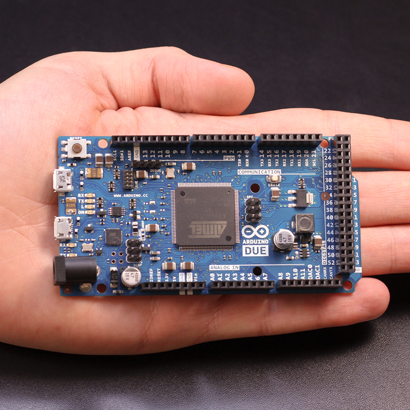
arduino is based on 8 bit avr microcontrollers with the new arduino Due for 32 bit microcontrollers.
"Arduino is an open-source electronics prototyping platform based on flexible, easy-to-use hardware and software. It's intended for artists, designers, hobbyists, and anyone interested in creating interactive objects or environments." by Arduino Team
 |
| Arduino Due |
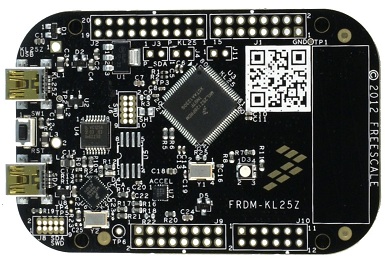
Mbed : Based powerful 32 bit ARM microcontrollers.
"The mbed rapid prototyping platform is the fastest way to design products based on ARM microcontrollers.
The project is being developed by ARM, its Partners and the contributions of the global mbed Developer Community" by the mbed team.
 |
| mbed FRDM KL25Z |
pinguino :Based on ©Microchip microcontrollers
"Pinguino is an Arduino-like board based on a PIC Microcontroller. The goal of this project is to build an integrated IDE easy to use on LINUX, WINDOWS and MAC OS X. Arduino is a powerful tool with some defaults. One of its inconveniences are a no native USB interface on the chip and its code length." by the Pinguino team.
Many other projects are featured on
wikipedia and are interesting to look at.
With all these project one the greatest emphasis is on getting people to do the projects without worrying too much about about the complexity of
writing the underlying complex routines. They make you design your application easily without spending hours learning pragma, configuration bit or command line compilers. Most provides USB Bootloaders. This means that there is small program running inside the microcontroller is responsible for transferring your user program to the program memory and handing over the control to this program afterwards. No programmer is needed, the microcontrollers can be reprogrammed over USB with a PC.
These platforms come with plenty of examples and libraries which come in handy for both the advanced users as well as the beginners. Not to forget the numerous support from users all over the world. With only a few hours of study you could well have finished some nice projects.
Sites like
instructables have numerous projects with step by step directions on how to work with these nice little toys. From my childhood days, I learnt that playing with toys is most enjoyable if the toy is mine. for this reason head to
nerokas electronics shop, get your toy and let the fun begin.